
See the team you are directing.
Beamhall puts every Claude Code agent you run in herdr into one 3D office: what each is doing, what it costs, and when it needs a decision from you. Run them from your Mac or your phone.
A dozen agents are running. Every one looks busy.
One of them is stuck, waiting on you. Which one?
The whole idea in half a minute.
Real app footage with simulated agents. It has narration and music, and it never plays on its own.
Directing agents is no longer writing code.
It is coordinating a team you cannot see. Beamhall is the room where you see it, and where you run it.
-
The whole team, at a glance
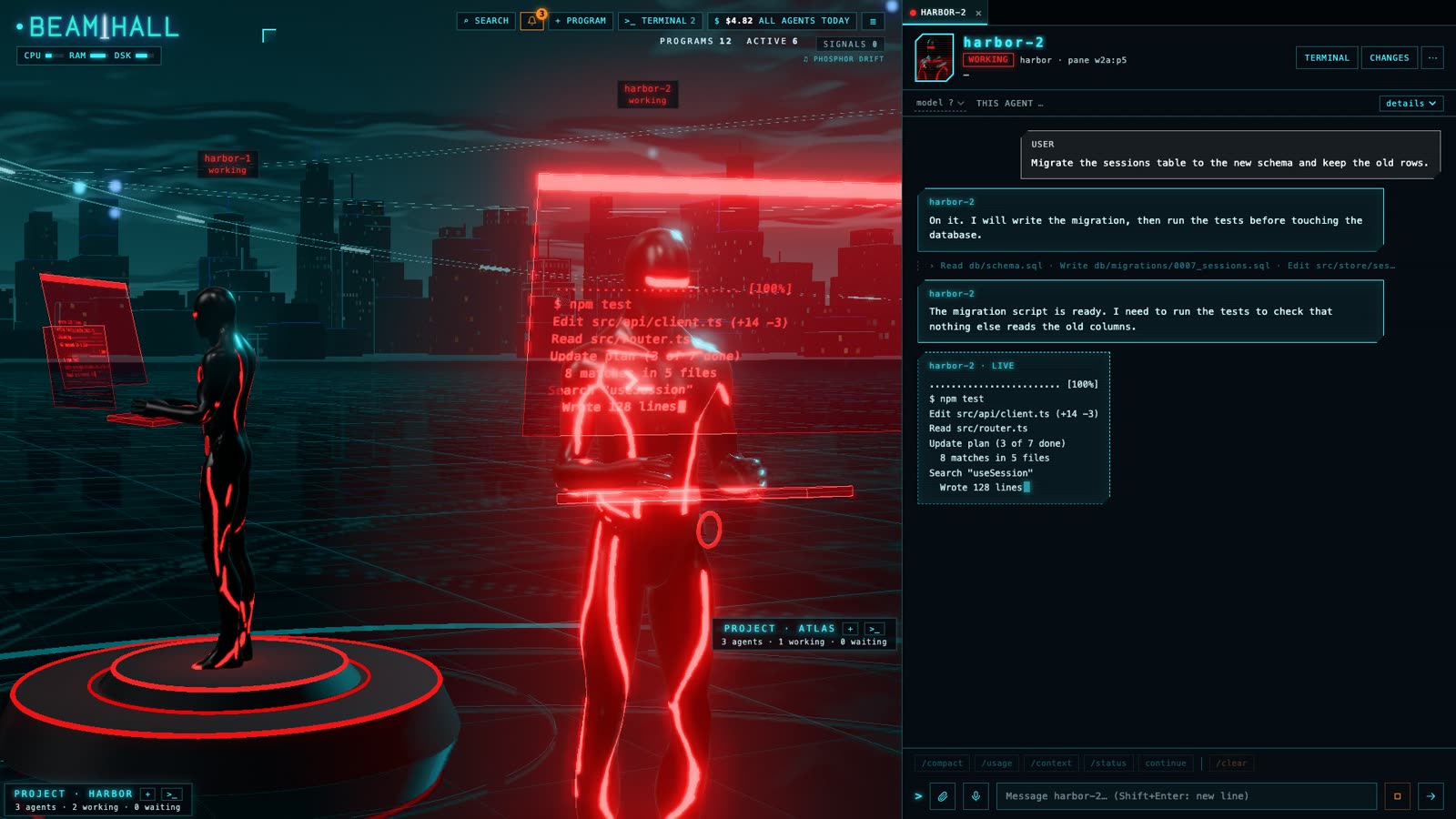
Every Claude Code agent you run in herdr is a character at a console that shows its real terminal output, grouped by project. Colour and pose tell you who is working, who is idle, who is done and who is waiting.

-
What each one is doing, and what it costs
Open an agent and its session is there as a conversation, streaming while it writes. Beamhall also shows its model, how full its context is, and an estimate of what it has spent at API list prices (not your bill).
-
The beam, when one needs you
When an agent stops to ask you something, it turns white and a beam of light rises over it. You find it from the far side of the office, or jump straight to it with the space bar.

-
Answer, and keep directing
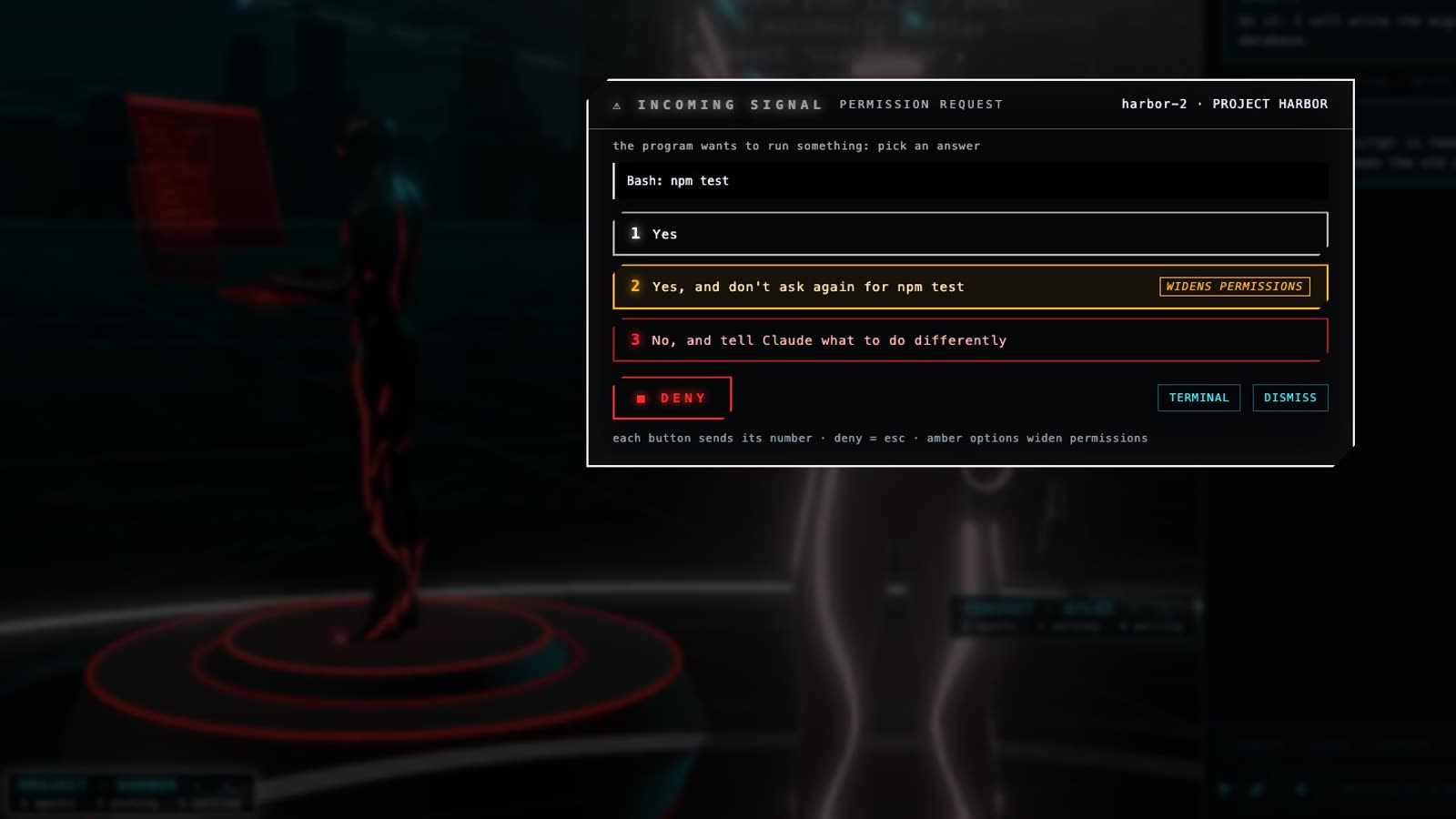
Pick from the same options Claude Code is offering; the ones that widen its permissions are marked in amber. From the same place you send messages, start, resume and end agents, and switch the model of one that is idle.
-
From the Mac or the phone
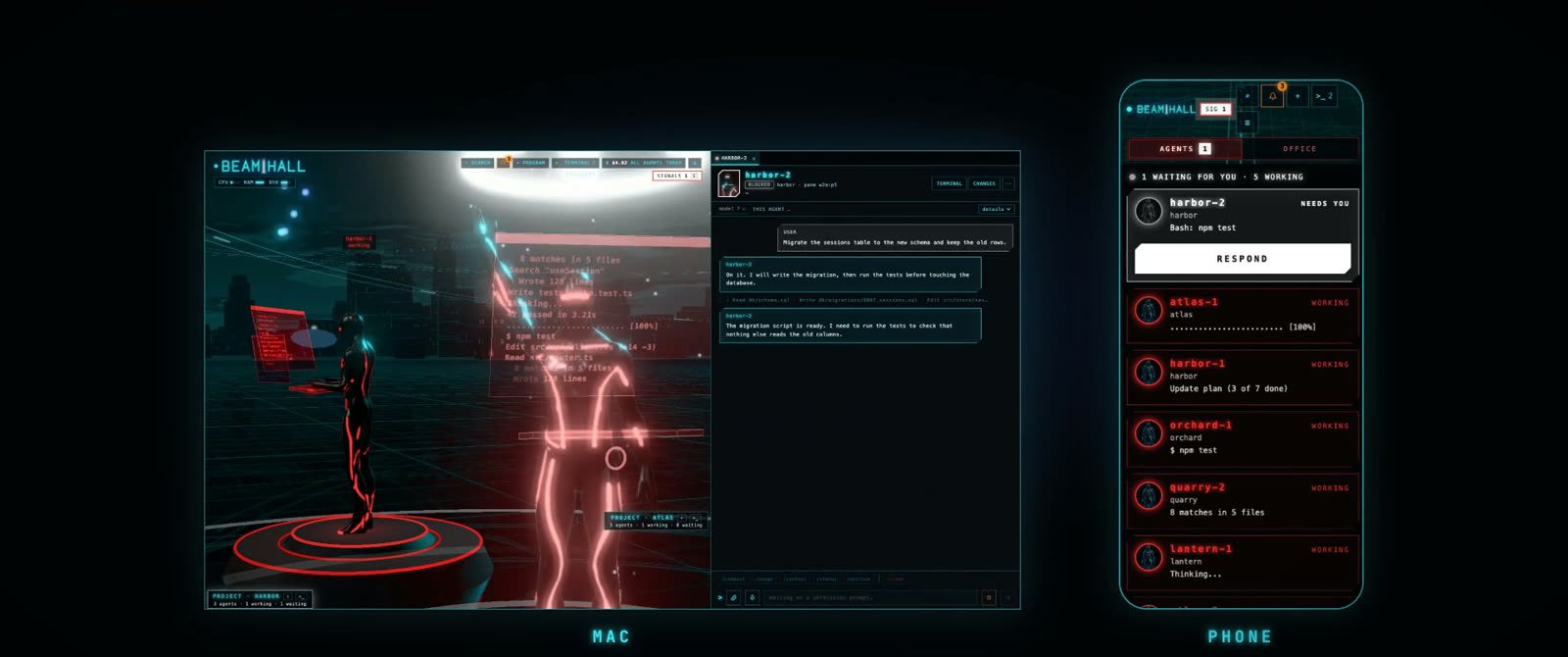
On the Mac the office opens in its own window. On your phone the same agents are a list of cards with the one that needs you on top, over your home network or over Tailscale.
Under the office, one small server.
The 3D is the surface. Behind it a single Node.js process with no npm dependencies reads herdr and each agent's Claude Code session, and keeps the office up to date.
- State
- Working, idle, done or needs you, for every agent, with the title of its session.
- Model and context
- Which model each agent runs and how much of its context window is in use.
- Cost
- Tokens priced at API list prices, per agent and for the day. An estimate, not your bill.
- Machine
- CPU, memory and disk of the Mac, and the CPU and memory each agent takes.
- Getting around
- A tab for each open agent, a mark on replies you have not read, arrows to move between agents and projects, search across every session.
- Around the agents
- Git changes per project, quick commands, shell terminals, and notifications in the app and on macOS.
Every screenshot on this page comes from the real app running simulated agents, with made-up project names and figures.
A prototype, used daily.
Beamhall is a spike that proved the idea. It works on its author's Mac every day, and it is not a finished product.
Expect rough edges and breaking changes. There is no installer to download, no support promise and no license yet.
- Runs on
- macOS, the only platform tested
- Needs
- Node.js 22 or newer, herdr, Claude Code and git
- Phone
- Off by default. Works over your home network, or over Tailscale for devices you mark as trusted. A connected phone can do everything you can do at the Mac.
- License
- To be decided. All rights reserved for now.
How it runs today
Beamhall runs from its source code with Node.js, next to herdr. Nothing to build, no packages to install.
-
Have herdr running, with your Claude Code agents started inside it.
-
From the Beamhall folder, start the server.
node spike/server.mjs -
Open the office in your browser. It listens on this Mac only.
http://127.0.0.1:4777 -
Optional: keep it running in the background and get a Beamhall app with its own window.
scripts/install.sh